





A railway HMI front panel brings mechanical support, illumination and electronic functions into one coordinated module. Adhesive and spacer layers position the parts, spring contacts provide electrical connections, and light guides direct LED light toward the intended front-panel features.
VANESEN’s workshop video introduces a multilayer printed circuit board assembly (PCBA) module for a railway human–machine interface (HMI) front panel. It identifies 3M adhesive, spacer layers, spring contacts, light guides, backlight light-emitting diodes (LEDs), an ambient light sensor and LED indicators. Here is how those elements contribute to the module, and what to review before the next assembly stage.
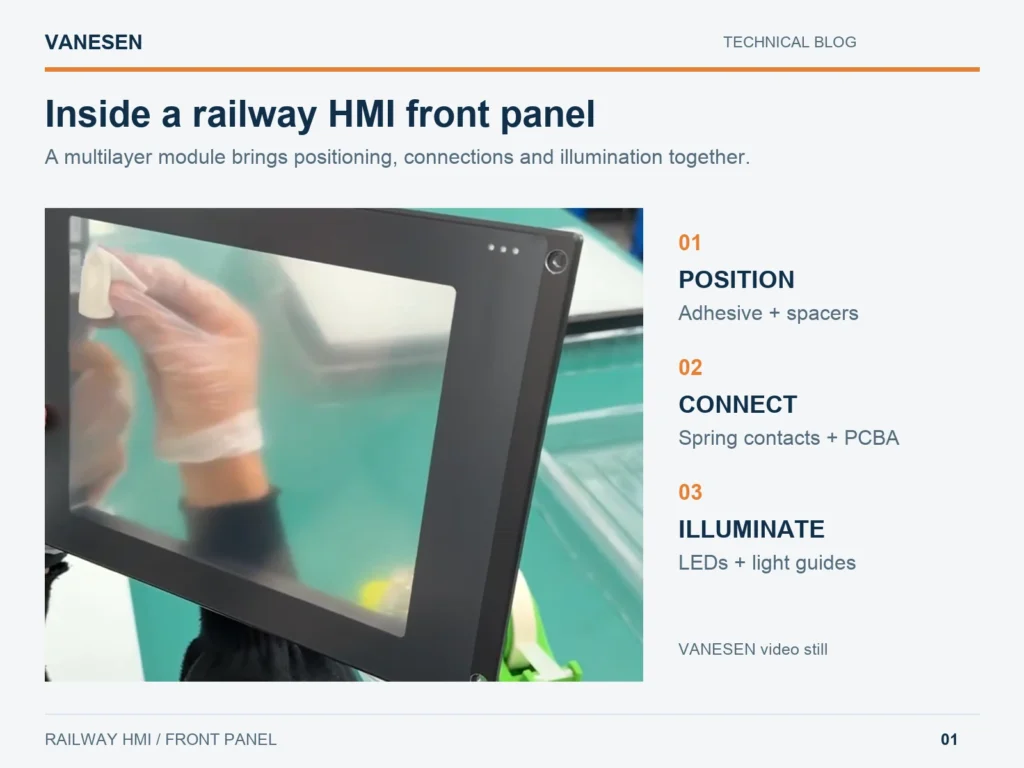
Figure 1. Front-panel handling shown in the supplied VANESEN video. The photograph shows the module’s appearance, rather than a powered functional test.
What is inside this railway HMI front panel?
The video shows front-panel parts arranged on a workbench, a panel being handled, and modules protected in individual trays. Its component list describes a combination of mechanical, lighting and electronic elements. Some details are internal and cannot be identified from the exterior view alone.
| Element identified in the video | General role in the module | Detail to confirm for a build |
|---|---|---|
| 3M adhesive | Bonds the selected mating surfaces | Material grade, thickness and compatible surfaces |
| Spacer layers | Establish separation and clearance between selected parts | Openings, thickness and alignment references |
| Spring contacts | Make an electrical connection through spring force | Mating point, working height and circuit assignment |
| Light guides | Direct light toward the intended visible area | Position relative to the LED and front opening |
| Backlight LEDs | Provide illumination for designated front-panel features | Illuminated area and drive conditions |
| Ambient light sensor | Measures environmental light for use by the control system | Sensor window and response in the assembled panel |
| LED indicators | Communicate assigned states through visible light | Position, colour and signal mapping |
This is a functional description, not an exploded drawing of the filmed product. The exact layer sequence and circuit connections follow the approved assembly drawing.
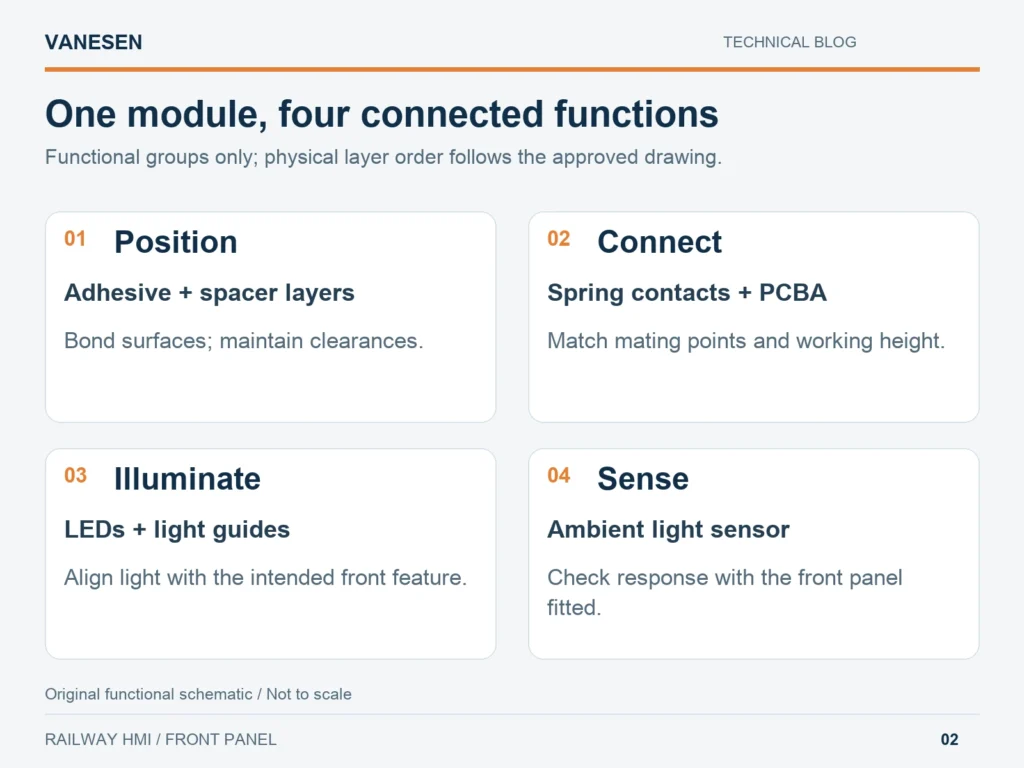
Figure 2. Original functional schematic, not to scale. The groups explain component roles; they do not specify the product’s physical layer order.
Adhesive and spacer layers: bonding with controlled separation
Adhesive joins parts; a spacer establishes a defined separation. In a multilayer front panel, both affect how the assembly fits together. A spacer opening must line up with the feature it surrounds, while the adhesive pattern must leave the required windows and component clearances available.
The useful review starts with three questions: Which surfaces are being bonded? Which gaps must remain? What locates one layer against the next? Answering them makes the material choice more specific than a brand name alone.
The video identifies 3M adhesive but does not state its grade or thickness. Those details need the bill of materials and the applicable material data. The adhesive reference alone does not establish that the central display window is optically bonded.
Spring contacts: connection depends on the assembled position
Spring contacts maintain contact force against a mating surface. Their role in a particular module may involve a signal, power or grounding connection; the circuit drawing identifies which applies.
For this front panel, review the selected contact’s working height against the assembled gap. Adhesive thickness, spacer dimensions and board location can all influence that gap. Check the mating location as well as the height, so the contact reaches its intended surface without being displaced or compressed beyond its specified range.
A visual inspection can identify alignment problems, but electrical continuity or contact resistance needs an agreed test. The video names the contacts without establishing their circuit assignment or measured performance.
Light guides, backlight LEDs and indicators: align the light path
Backlight LEDs generate light; light guides carry it toward a designated area. The visible result depends on their relative position and the front-panel opening. An LED can be electrically functional while the illuminated feature still appears dim or uneven because the optical path is misaligned.
Review LED-to-guide alignment, the intended clearance and light leakage into adjacent areas. For a separate light pipe positioned above an LED, use the selected parts’ drawings to preserve clearance rather than pressing the guide onto the LED package. Other guide constructions require their own arrangement.
Backlighting and status indication also serve different purposes. Backlighting makes a designated feature visible; an indicator communicates an assigned state. Check each illumination channel individually, then check the combined appearance under the agreed viewing conditions. The video does not identify the electrical meaning of each indicator.
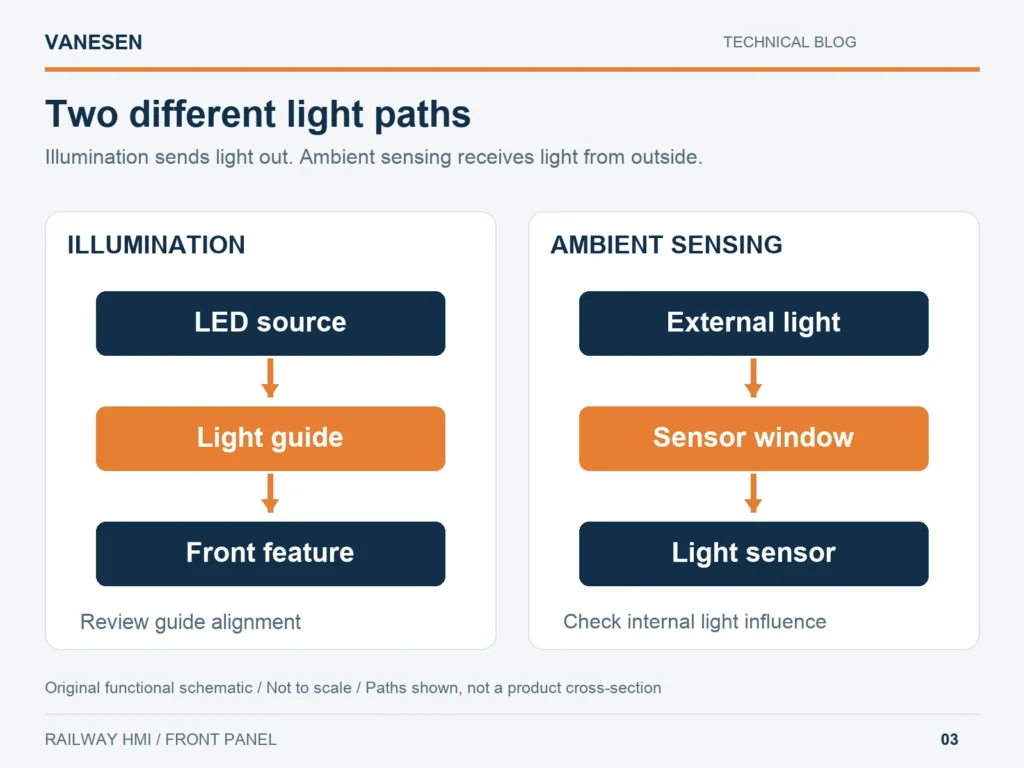
Figure 3. Original schematic, not to scale. Illumination sends light outward; ambient sensing receives light from the environment. Layout is illustrative.
Ambient light sensing: review it with the front panel fitted
An ambient light sensor measures surrounding light. A control system can use that information to adjust illumination, but the presence of a sensor does not by itself establish automatic dimming behaviour.
A practical assembly check is to expose the fitted panel to different external lighting conditions and record the sensor response. Then hold the external light steady and switch the panel’s own illumination on and off. This helps identify whether internal lighting affects the reading. Confirm the sensor model, window arrangement and control logic before specifying numerical acceptance limits.
A focused check before further assembly
The final video sequence shows modules protected in individual trays and described as prepared for assembly. At this handover, a short record can keep the visible condition, functional checks and component revision connected.
- Confirm identity: match the module, drawing revision and component list.
- Inspect the front and layer edges: check alignment, visible contamination, damage and unobstructed openings.
- Check connections: verify the specified contact paths using the approved fixture and criteria.
- Check illumination and sensing: operate the designated LEDs, inspect light distribution and record the ambient sensor response.
- Protect the module: support it in suitable packaging and prevent loads on exposed contacts or interconnects.
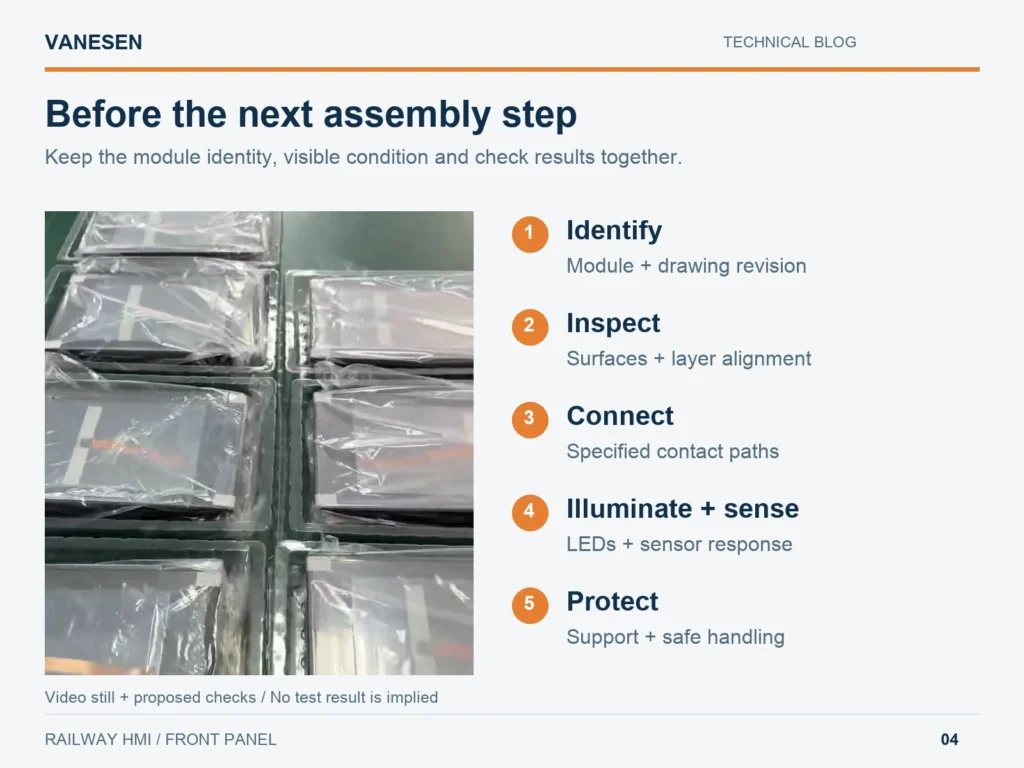
Figure 4. Packaging photograph from the supplied video with proposed handover checks. The checklist is guidance, not a record of tests shown in the video.
For an example of how drawings and results can accompany a sample, see VANESEN’s HMI first article inspection delivery package.
The video establishes the module’s presentation and identifies its main elements. It does not provide numerical operating limits, durability results or railway qualification reports. Acceptance criteria should therefore describe the selected module and the checks actually completed.
Discuss your railway HMI front panel with VANESEN
A useful front panel depends on the relationship between its layers, contacts, lighting and electronics. VANESEN’s display and HMI assembly service provides a starting point for discussing those interfaces and the required delivery scope.
Send your front-panel drawing, layer structure, PCBA reference, illumination requirements and intended connections. Include any sample checks or documentation your team needs. Contact VANESEN to review the module requirements and next assembly step.