





A metro cab display works on the bench. Will it respond just as clearly after a cold night in the depot—or an afternoon parked in the sun? For a railway resistive touchscreen, temperature range affects more than component survival. It helps determine whether the complete interface can start, display information and accept input when needed.
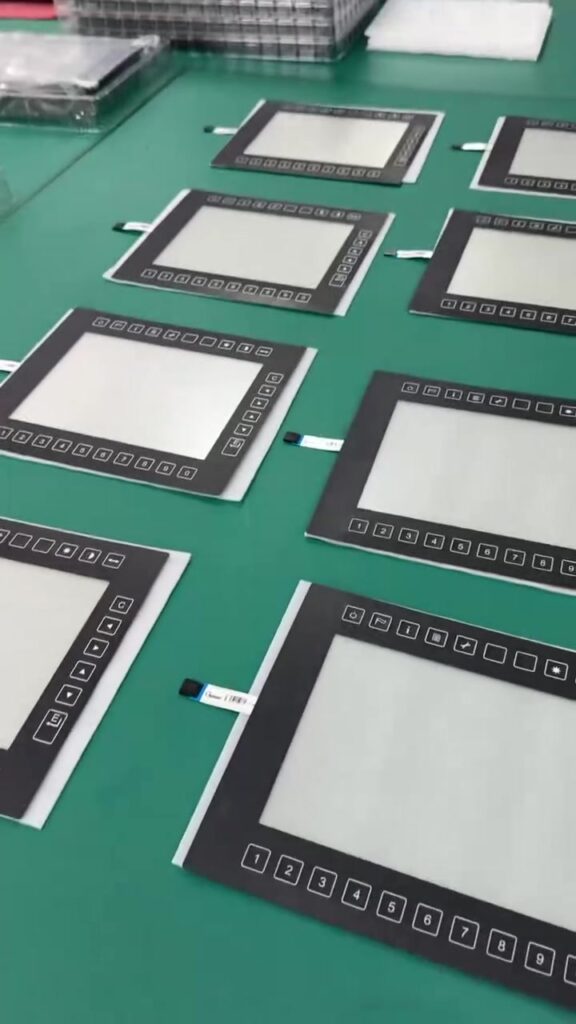
VANESEN’s latest video introduces a metro cab control-display configuration with optical bonding, resistive touch and 16 mechanical buttons. Its stated operating range is −10°C to +60°C, with storage from −40°C to +70°C. Understanding the difference is essential before selecting it for a vehicle.
Storage at −40°C does not mean operation at −40°C
Operating temperature describes the conditions for powered use within the agreed specification. Storage temperature describes unpowered exposure under specified conditions; it does not establish cold-start capability.
| Featured configuration | Stated range | What to check |
|---|---|---|
| Operation | −10°C to +60°C | Startup, image quality and touch response at the required limits |
| Storage | −40°C to +70°C | Exposure duration, recovery conditions and post-storage function |
For example, if the panel itself is at −20°C when power is applied, it is below the stated operating range—even though that temperature lies within its storage range. A wider-rated assembly or a validated thermal-control and startup strategy would need to be considered.
The dashboard can be hotter than the cab
Engineering selection should consider the installation, not just outdoor weather or the air-conditioning setting. Solar exposure, nearby electronics, restricted ventilation and the display’s own heat can affect temperatures inside a console. Identify where each temperature rating is measured: surrounding air, housing or component.
For railway equipment, Bel’s railway guidance emphasizes matching temperature requirements to the mounting location. Agree the applicable railway specification and edition with the vehicle integrator. The ranges in this video are configuration-specific; they do not establish suitability for every rail application or prove railway certification.
Check what the driver sees—and what the touch panel registers
The LCD and the resistive touch sensor perform different jobs. A touch input may register while the displayed image updates more slowly. Densitron’s LCD documentation illustrates how low temperature can slow liquid-crystal response and change appearance. This is background engineering knowledge, not a measured result for the VANESEN assembly.
A useful validation plan therefore checks more than whether the screen lights up. Define acceptable startup time, readability, image response, touch accuracy and input consistency at the required temperatures.
Why resistive touch remains a practical option
Glove compatibility can be valuable in a driver interface. Elo identifies its five-wire resistive products as suitable for heavy-glove input. That supports considering resistive technology, but the chosen sensor must still be checked with the actual gloves and operating conditions.
For the featured configuration, include the 16 mechanical buttons in the same functional assessment. Neither the buttons nor the touch technology automatically provide a wider temperature rating.
Validate the assembled interface, not just individual parts
VANESEN recommends agreeing these checks before prototype approval:
- Cold and hot operation: test startup, display performance, touch and buttons after the assembly stabilizes at the specified temperatures.
- Temperature transitions: define cycling, humidity and condensation conditions appropriate to the installation.
- Assembly condition: inspect the bonded stack, seals and connectors after exposure; do not assume component ratings transfer unchanged to the finished unit.
- Traceable results: record the configuration, measurement locations, exposure conditions and acceptance criteria.
Start with the vehicle environment, then select the touchscreen. Share your mounting location, required operating and storage ranges, glove requirements and interface drawing with VANESEN’s project team. These inputs help define the scope for custom display and HMI integration.