





INDUSTRIES / RAILWAY
Railway HMI Integration for Driver Consoles
Entorno de aplicación
Railway HMI integration at vanesen includes Touch and Touch + MS Front Panels for HMIs installed in railway driving-cab consoles.
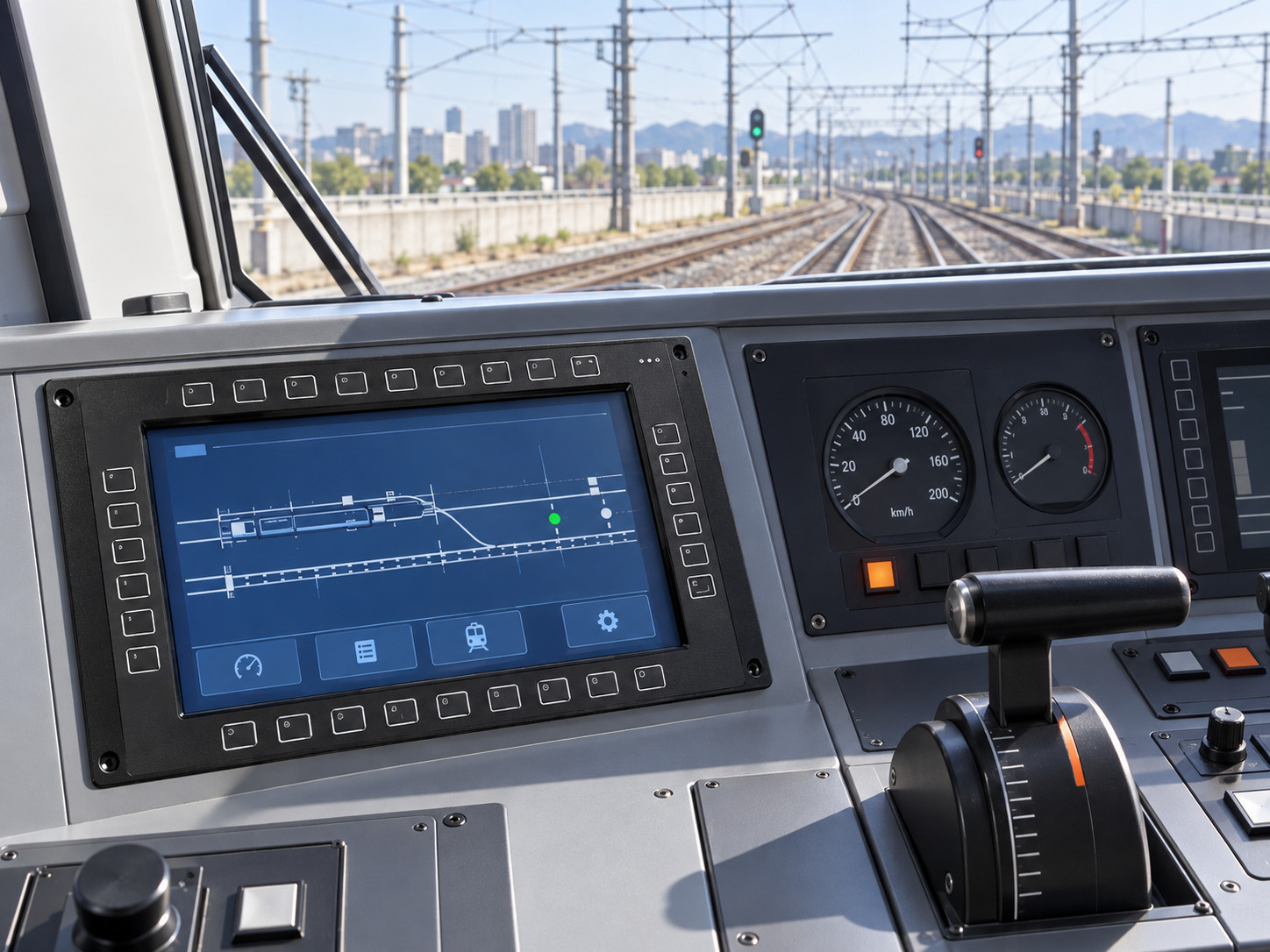
The supplied application information locates the HMI at the driver’s operating desk. Its front combines a display, touch surface and physical keys. Mounting and electrical access sit behind the console. The test-bench photograph shows the delivered product family, rather than an in-cab installation.
Protección térmica y frontal
The project specifies −40 to +70°C for storage. This range does not describe powered operation. Define the operating limits, exposure duration and checks after storage for the selected assembly. Also assess front-panel ingress protection with the actual console mounting and seal.
02 / RETOS DE LA APLICACIÓN
Retos relacionados con las pantallas y las interfaces hombre-máquina (HMI)
Cab viewing conditions
Daylight through cab glazing and night operation create different viewing conditions. Review the viewing angle, reflections and dimming from the driver’s eye position. The supplied information does not specify a numerical luminance target.
Two complementary input methods
The photographed HMI combines a touch window with surrounding physical keys. Agree each key’s function and press/release response. Then check touch position and tracking on the complete assembly.
A stable console installation
Review mounting points, frame support, cable restraint and access behind the driver’s desk. Define vehicle vibration requirements for the installed assembly.
Protection at the front boundary
The protection boundary is the installed front face. Its cover-to-frame joint, key interface and console gasket must work together. Resolve the rear connectors and surrounding desk as separate interfaces.
03 / ESTRUCTURA DE INTEGRACIÓN
Railway HMI Integration Approach
Front panel and optical stack
Keep the established front-panel layout and customer key positions. Coordinate the cover or overlay, touch sensor, LCD and metal frame around the desk opening. Select unión óptica only when the chosen stack and optical requirements support it.
Keypad and touch integration
Define the physical key map separately from touch input. Select the controller, wiring and host connections for the actual configuration. Next, verify the intended input response on the assembled front surface.
Mechanical support and front seal
Review glass support, LCD fixing points, gasket compression and the console mating surface together. Preserve service access and cable routing behind the desk. Do not assume the rear space has the same protection as the front.
Configuration-specific qualification
Specify storage and powered operation separately. Before claiming qualification, define front ingress protection and vehicle-specific vibration or electrical requirements for the mounted configuration.
04 / FORMULARIO DE ENTREGA
Railway HMI integration: delivered assembly
Existing keypad HMI on the functional test bench. Photograph supplied by vanesen.
Confirmed delivery form: the complete keypad HMI shown in the supplied test photographs, for integration into the driver’s console.
Display: a viewing window with integrated touch input.
Physical keys: controls arranged around the display perimeter.
Enclosure: a coordinated front frame and rear housing.
Connections: the arrangement defined for the actual customer configuration.
Confirm the bill of materials, interfaces and numerical operating limits for the referenced unit. The supplied information does not establish these details. The delivery scope does not imply vehicle-control software or vehicle-level approval.
The supplied documents do not establish an IP65 pass for this configuration. A protection claim needs a passing report and a confirmed installation scope.
For railway HMI integration, align the test and delivery requirements with our proceso de control de calidad. Share your console drawings para definir el alcance del proyecto.
Utiliza el Lista de comprobación del resumen del proyecto de integración de pantallas para organizar los dibujos y las preguntas abiertas. Nuestro recursos de ingeniería También abarcan las entradas de componentes y los registros de inspección.