





A practical guide from component selection to sample approval
By VANESEN | Technical Blog | Display Integration
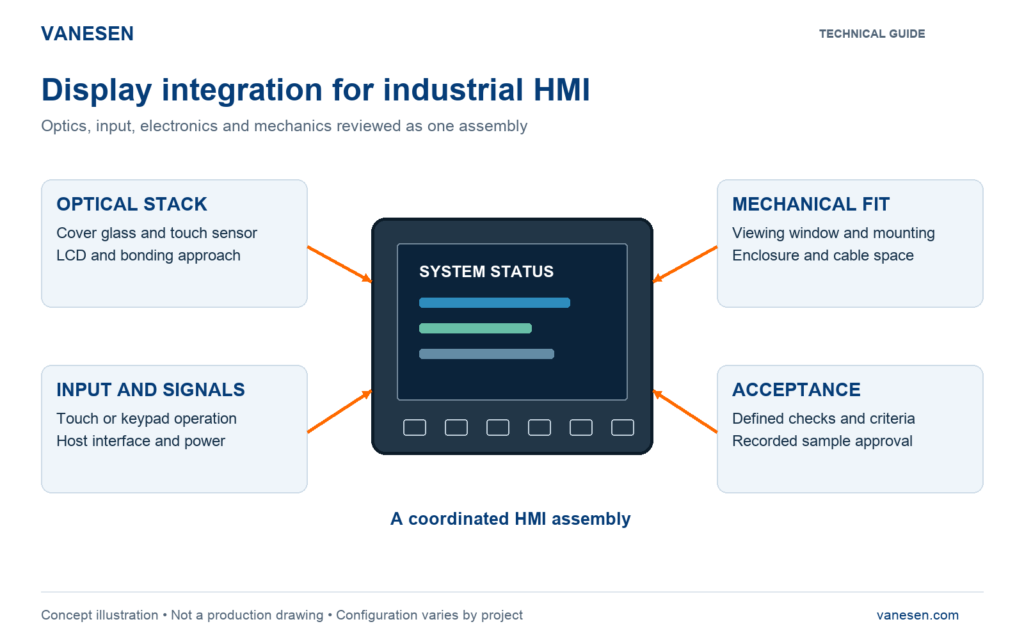
Display integration is the process of combining a display, touch interface or keypad, electronics and mechanical structure into an assembly that fits the equipment and meets its agreed requirements. For an industrial HMI, the work starts before parts are ordered and continues through sample verification.
A screen can work on a bench and still cause problems inside an enclosure. The viewing window may hide an edge of the image, a cable may be trapped when the rear cover closes, or the touch response may change with the final cover construction. Reviewing these interfaces early makes the sample build more useful.
This guide explains what to define, how the main parts interact and what evidence to request before approving an integrated display. It follows the engineering and assembly scope described in VANESEN’s display and HMI assembly service.
Start with the installed application
Write the requirements around the operator and the equipment. “A 10-inch touchscreen” leaves important decisions open: viewing distance, available space, host connection, gloves, ambient light and maintenance access. Use the following checks to turn an initial idea into a reviewable brief.
- Viewing conditions: installation angle, ambient light and the information the operator must read.
- Operation: bare fingers, specified gloves, keypad functions and any required wet-use conditions.
- Installation: panel opening, mounting points, allowable depth and connector access.
- Environment: powered-operation and storage conditions, cleaning exposure and the required verification plan.
Match the optical stack and the viewing window
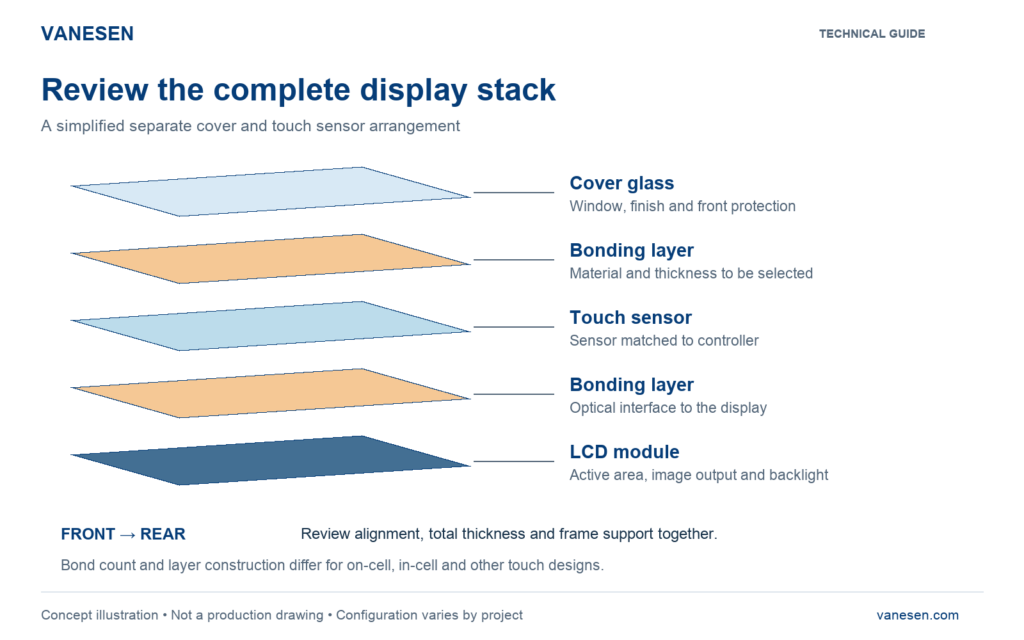
Figure 1. Simplified front-to-rear stack. The actual touch design determines the layer count and bonding interfaces.
Review the LCD active area, the touch sensing area and the visible cover window together. Also check the complete stack thickness and its support in the frame. A nominal diagonal size does not establish these dimensions.
Optical bonding is one part of display integration. The bonding material and construction must suit the selected surfaces and application. For the bonding methods themselves, see What Is Optical Bonding.
Treat video and touch as separate interfaces
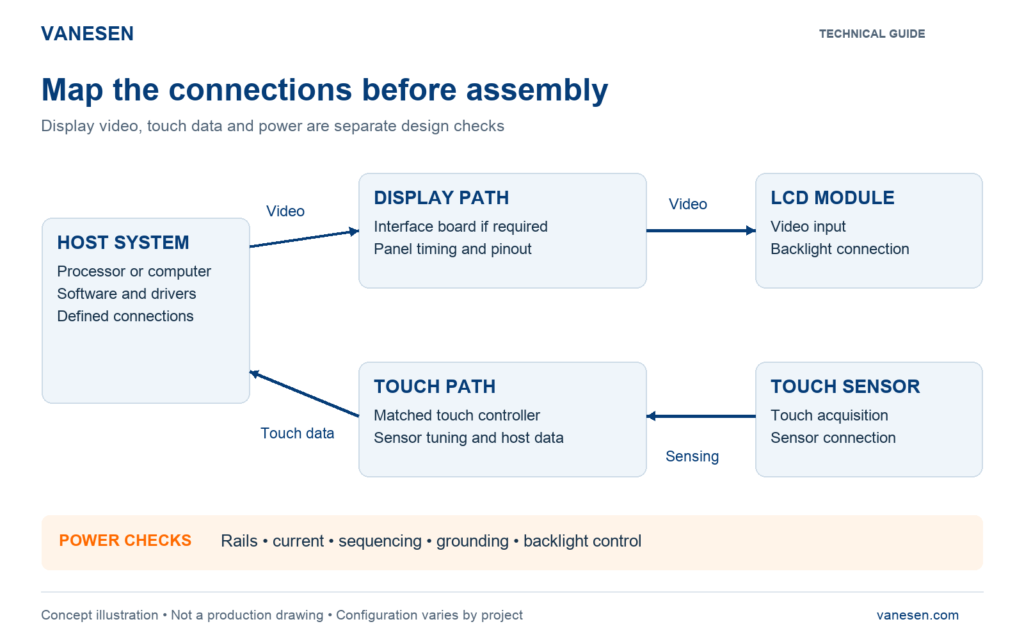
Figure 2. Functional connection map. Arrows show the principal video and touch information paths, not a complete wiring schematic.
The display path carries image data to the LCD. The touch path returns user input to the host. An image on the screen does not prove that the touch controller, host driver and sensor are compatible.
Confirm the exact panel and controller part numbers, signal format, pin assignments, voltage levels and timing requirements. Then check the backlight connection and control method. A connector that fits physically is not proof of electrical compatibility. Texas Instruments’ TIDA-00169 reference design illustrates this: its LCD interface board is designed around a specific panel.
Verify touch with the intended front construction
Cover thickness, sensor construction and operating conditions belong in the touch review. Microchip’s touchscreen controller discussion explains why thicker covers and gloved operation can challenge touch sensitivity. Capabilities quoted for one controller or demonstration do not automatically apply to another assembly.
Test the selected sensor and controller before installation, then repeat the agreed checks in the completed enclosure. Include edge targets, tracking paths and any specified glove or multi-touch operation. Record the controller settings used. Our component selection and sourcing process reviews these parts as a connected set.
Design mechanical fit around assembly and service
The frame and rear enclosure must leave room for the actual parts and the work needed to connect them. Review cable bend space, connector access, board clearance and the closing sequence. Specify how the display is supported and how any gasket or seal is installed; a drawing of the front opening alone is not enough.
Consider a proposed LCD replacement with the same diagonal size. Before accepting it, compare its outline, active area, thickness, fixing points, connector location and electrical requirements. A change in any one of these may affect the frame, cable or test plan. Treat this as a design review, not a purchasing substitution.
Use the sample build to close open questions
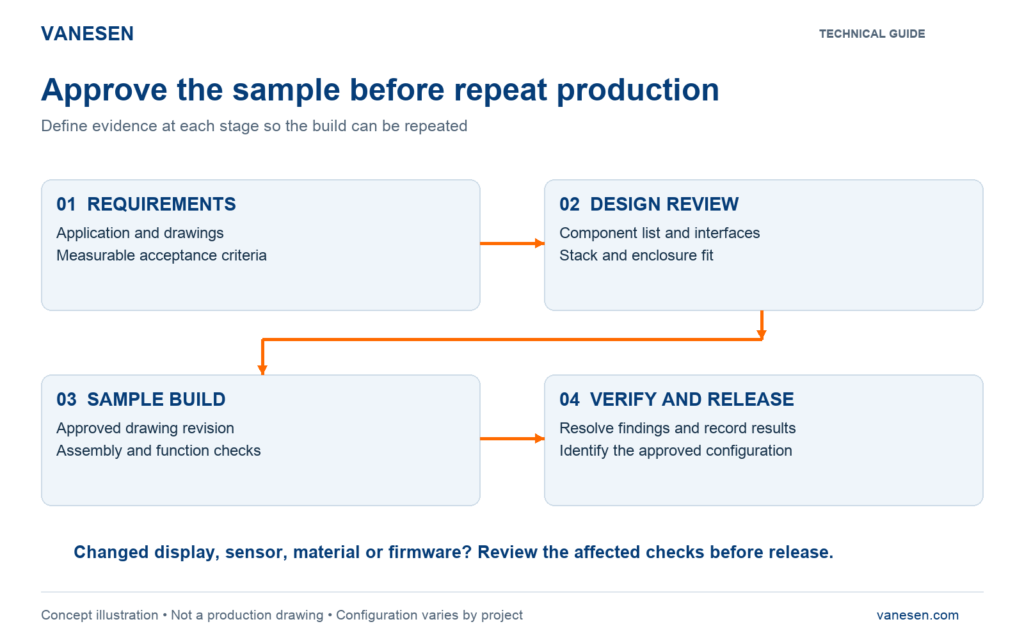
Figure 3. Suggested approval workflow. Each stage produces information needed by the next build.
Build the sample against an identified drawing revision and component list. Record any adjustment made during assembly, then update the approved documents. Otherwise, the next unit may repeat the original problem rather than the corrected build.
For a practical example of the evidence a buyer can review, read HMI First Article Inspection. Agree which records must accompany your own sample instead of assuming every project uses the same inspection package.
Define acceptance before the final test
A useful acceptance plan says what will be checked, under which conditions and what counts as a pass. “Tested” on its own does not tell the buyer enough. Define the following items before sample approval.
- Display and optics: agreed test images, viewing conditions and criteria for visible defects.
- Touch and keypad: target positions, tracking paths, assigned key responses and required operating modes.
- Mechanical fit: specified dimensions, mounting compatibility, cable clearance and enclosure closure.
- Environmental verification: test profile, exposure duration, powered state and checks before and after exposure, where required.
An ingress-protection result or other qualification belongs to the configuration and scope actually tested. Do not extend it to a changed enclosure or a different assembly without review. VANESEN’s testing and delivery service describes how functional checks, final inspection and delivery records are defined for each project.
Common questions about display integration
Is optical bonding required for every display
No. Bonding is a design choice within the integration project. Decide it alongside the optical targets, touch construction, mechanical design, service needs and cost.
Can an existing LCD or enclosure be reused
It can be evaluated. Provide its exact model, drawings and available specifications so that optical, electrical and mechanical compatibility can be reviewed before committing to the build.
What should be sent for an initial review
Send the application, display model or target size, interface requirements, installation drawing, intended operation and expected quantities. Note which requirements are fixed and which are still open. The display integration project brief helps organize these inputs.
Discuss your display integration project with VANESEN
VANESEN coordinates component selection, optical bonding, mechanical structure and HMI assembly around the agreed design. Share your current drawing or display requirement so we can define the next engineering step and the checks your sample needs to pass.
Discuss your project or email info@vanesen.com.
3 Responses